Humbert's Sword
Quest Id# 547 · Data: WoW Forever 1.60.1 (build 70959)
Requirements
- Faction
-
Alliance Horde
- Class
- Any
- Races
- Any
 Alliance
 Horde
- Recommended Level
- 30
- Minimum Level
- 26
- Difficulty
- Orange from level 26 Yellow from level 28 Green from level 33 Gray from level 38
Classification
- Type
- Elite
- Category
- Zone · Hillsbrad Foothills
Where
- Zone
- Hillsbrad Foothills
- Starts and ends at
Objectives
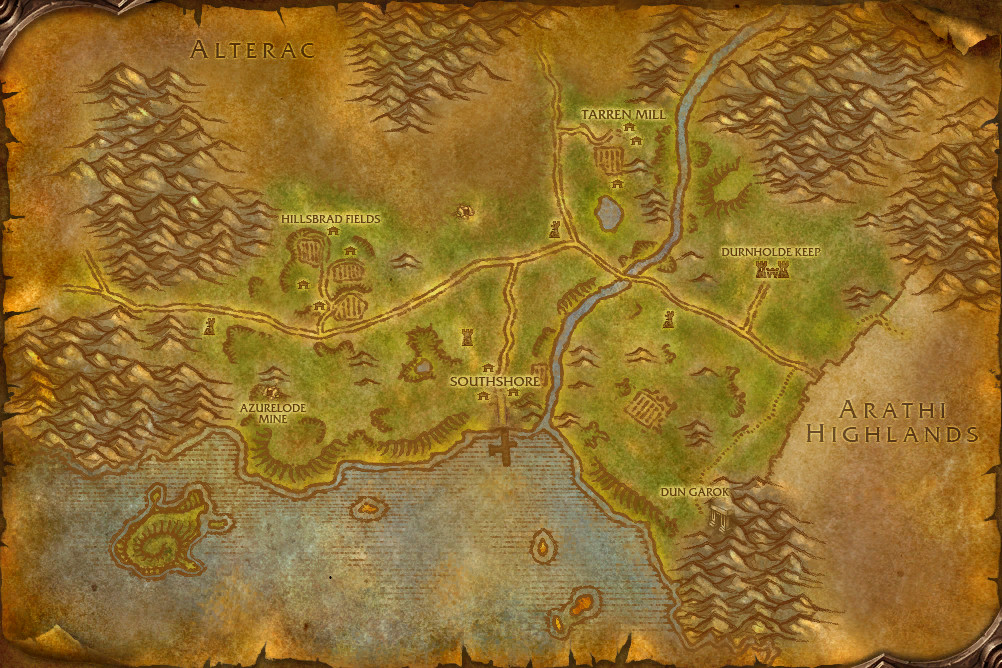
Retrieve Deathguard Humbert's sword from Dun Garok and return it to him in Tarren Mill.

How to complete
ExperimentalWhat is wrong with these steps?
This quest's page is included automatically. Say which step is wrong or missing, and what you saw in the game instead.
You need to be logged in to send feedback. It helps prevent me from being spammed. Log in or create an account first.
Thanks — your feedback has been sent. If we need more from you, you will get a notification.
-
1
Get the quest from Deathguard Humbert
-
2
Collect Humbert's Sword
- Drops from Dun Garok Mountaineer 100% (3 dropped) · Hillsbrad Foothills (opens in a new tab) · around
-
3
Turn it in to Deathguard Humbert
This feature is experimental. The steps are put together from the quest's objectives and what EG Link (opens in a new tab) players have recorded, so they can be incomplete or wrong. Please use the feedback button to help us identify problems.
Rewards
- Experience
- 3,050 experience, for a character of level 30
- Choose one of
- Reputation
- Undercity +150 reputation


Description
High Executor Darthalia sent me to keep watch of Dun Garok from a distance. I had set up camp just out of sight. But when morning came and I had to boil water, I left to gather firewood.
When I returned to camp, I discovered my gear was missing.
Apparently some dwarven scouts from Dun Garok had passed by and made off with it. I need my sword! If you can get it back for me I would be so grateful. So many dwarves there...it will be quite difficult to find the dirty little thief who stole it.
Have you completed the quest?
Character Tracking
Sign in to see which of your characters have completed it.
Check in-game
To see whether a character has completed this quest, log in on it and type this into the chat box:
/run print(C_QuestLog.IsQuestFlaggedCompleted(547))
The chat box shows true if the character has completed it, false if not.